
 By BECKY RUTHERFORD
Los Alamos
If you are anything like me, you probably order a lot online, and might have packages incoming at any time. How do you stay on top of your incoming packages? Scammers certainly hope you think it’s via text message, as yet another wave of package delivery text scams are incoming.
 Image of package delivery smishing text scam
These text scams are a kind of phishing known as “smishing”. What is smishing? Smishing is a form of phishing that involves a text message or phone number. Victims will typically receive a deceptive text message intended to lure the recipient into providing their personal or financial information. These scammers often attempt to disguise themselves as a government agency, bank, or other company to lend legitimacy to their claims. In this case they are impersonating the US Postal Service.
A few things stood out to me that this is a phish:
- The message isn’t from a US phone number, it is from a number with a country code from the UK. Right off the bat I’m suspicious since this is allegedly from the USPS.
- The linked domain is not a USPS domain, it’s a generic top level domain (gTLD), ending in .xin. .Xin is a commonly used domain in Asia, not America. A quick whois domain search reveals this site was just created and registered fairly recently, another sign that a link is likely to be a scam. And any legitimate USPS site would use their official domain of usps[.]com.
- Message tries to instill a sense of urgency by saying that the shipment cannot be delivered, and tries to get the user to reply or open the url in their browser to release the shipment. Sense of urgency is another sign something is likely a phish.
- Why would the USPS be contacting me about a delivery issue? Chances are the company would contact me directly. The scammers want to go after your sense of curiosity and get you to reply to the text message or go to the link.
Do not reply to these, or interact with any links. You can just click the “report junk” at the bottom of the text message to report it to Apple as junk, and if you want you can also block the sender (reporting junk just lets Apple know it is sketchy and doesn’t block). Just click on the circle with contact info at the top of the message, and you’ll be taken to the contact info screen, below.
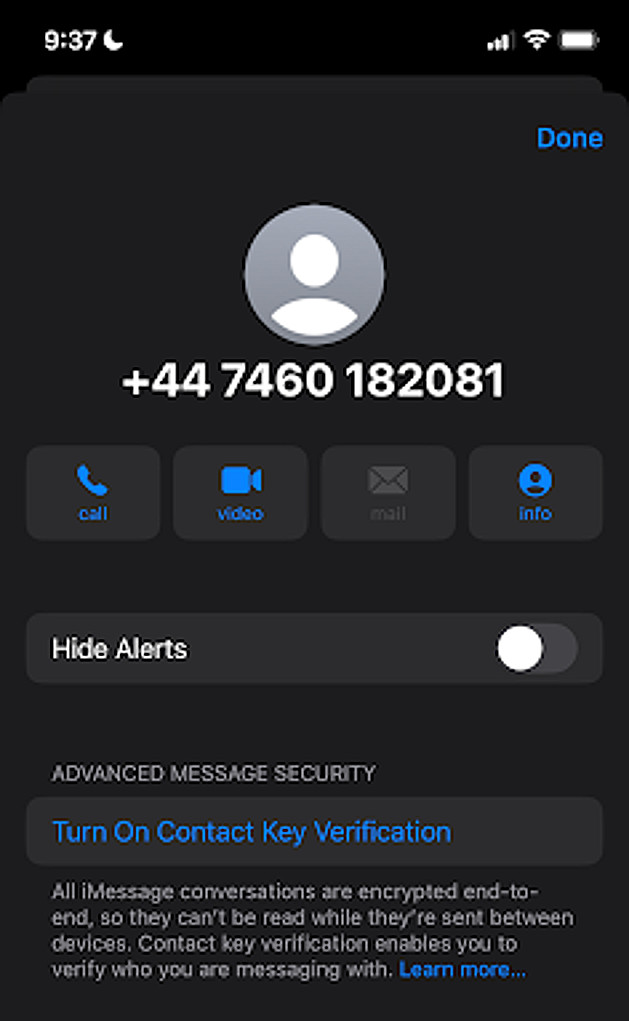 Image of scammy number contact info
From the above screen, select the “info” icon at the top.
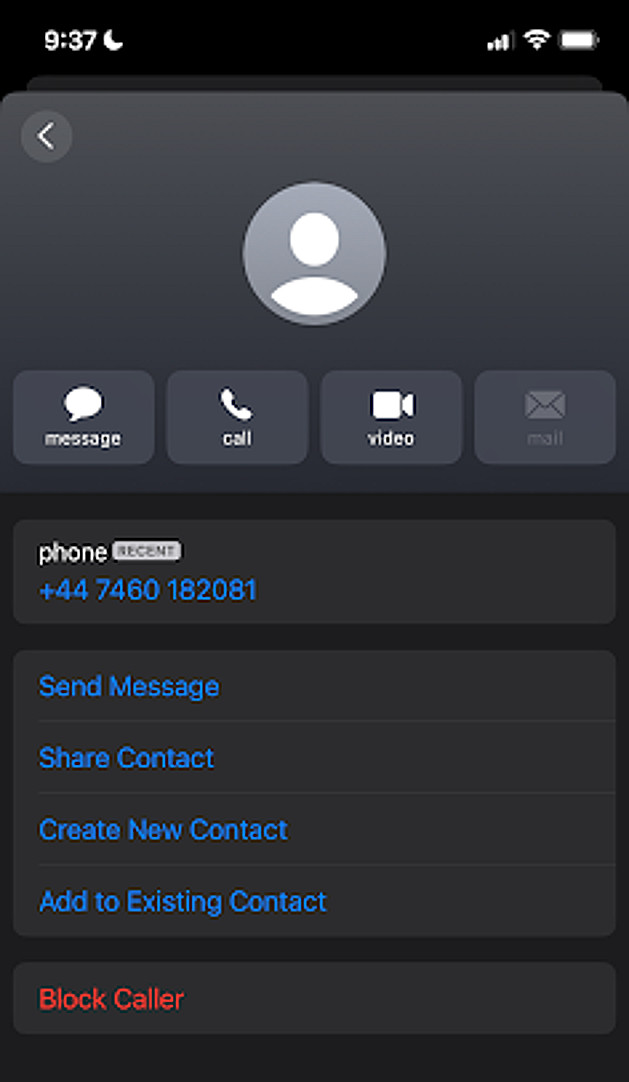 How to block in iOS
And then just select the block option, and the contact number is blocked.
To block in Android:
To block a contact on an Android phone, open the “Phone” app, navigate to the contact you want to block, then long-press on their number and select “Block” or “Block number” from the menu that appears; you can also access blocking options through the “Settings” within the Phone app and add numbers to the blocked list there.
Sadly blocking one number won’t necessarily be helpful as you will likely get more texts with the same scam from different numbers, but it’s always an option.
To report USPS related smishing, send an email to spam@uspis.gov (not a typo, this goes to the USPS Inspection Service).
- Without clicking on the web link, copy the body of the suspicious text message and paste into a new email.
- Provide your name in the email, and also attach a screenshot of the text message showing the phone number of the sender and the date sent.
- Include any relevant details in your email, for example: if you clicked the link, if you lost money, if you provided any personal information, or if you experienced any impacts to your credit or person.
- The Postal Inspection Service will contact you if more information is needed.
- Forward the smishing/text message to 7726 (Spells out SPAM) (this will assist with reporting the scam phone number).
Never interact with these messages, just ignore and delete or report them to the USPS. If you aren’t sure if a message is legitimate always go directly to the company’s website, never click on a suspicious link.
Stay safe online, watch out for package delivery smishing scams and don’t click those links!