
 By REBECCA RUTHERFORD
Los Alamos
For the Los Alamos Daily Post
The holidays are supposed to be about twinkling lights, cookies, time with family, and pretending you are not checking work email (the server room is on fire?? It will be ok till next year right?). Unfortunately, cyber criminals do not take time off; the holidays are one of their busiest seasons of the year!
While you are shopping online, traveling, and clicking through “great deals” … scammers are busy trying to slide into your inbox, texts, and DMs like an uninvited guest at a potluck.
Holiday-themed phishing emails, texts and even calls are everywhere right now.
Fake shipping notices claim there is a problem with your delivery. “Urgent” emails pretend to be from Amazon, USPS, or your bank. Some even look like e-cards or digital gift receipts.
The goal is always the same. Get you to click a link, download a file, or hand over your login information before you realize something is off.
Example:
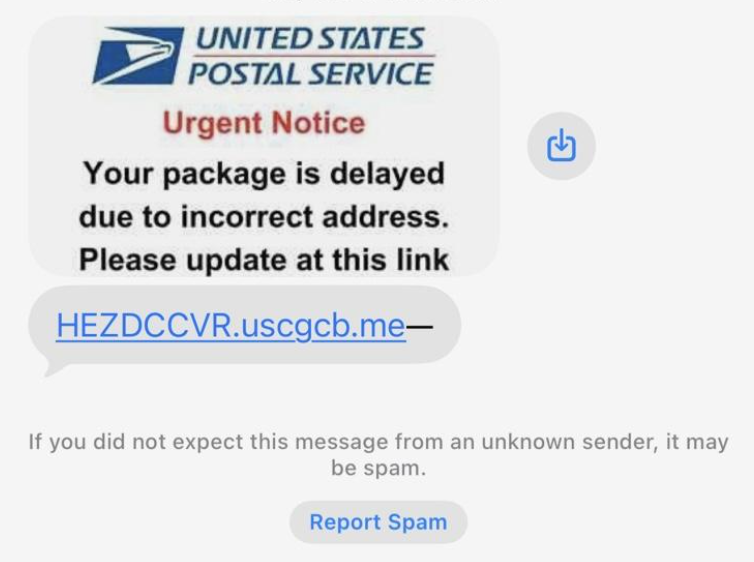 Example of a phishing text image. Courtesy photo
That is clearly NOT from the USPS or Santa, but rather the grinch. I looked up the domain; it’s a NameCheap domain based in Iceland. That’s a big ol’ nope from me on clicking. Report spam, block it and kill it with fire!
If a message creates panic or urgency, that is your first red flag. Real companies do not threaten you with account closures or delivery cancellations through random links. When in doubt, do not click. Go directly to the company’s website or app instead.
Public WiFi is another holiday hazard. Airports, coffee shops, hotels, and family homes are prime hunting grounds for attackers. If you are logging into sensitive accounts on public WiFi, you are taking a risk. Avoid banking or shopping on unsecured networks and use a VPN if you have one. At the very least, make sure your device is fully updated before you travel.
Strong passwords still matter, even if they are more annoying than sitting next to Great Aunt Hilda at the holiday dinner. Using the same password everywhere is like giving every store in town the same key to your house. If one gets compromised, the rest fall like dominoes. A password manager can help you create and store unique passwords without losing your mind. I recommend LastPass, but there are lots of others, even the ones built into Google, Apple, etc. are fine.
Multi factor authentication is the closest thing we have to a security bouncer. Even if someone steals your password, MFA can stop them cold. If an account offers it, turn it on. Yes, even for social media and email, unless you don’t care if your account gets taken over and starts spamming all your friends and families with scams. Great Aunt Hilda will probably click that link, even if you know better!
Finally, keep an eye on your kids and relatives. New phones, tablets, and gaming devices mean new accounts and new risks. Take a few minutes to set up privacy settings, talk about scams, and explain why free Robux or surprise gift cards are rarely real. Put an anti-virus product on your kid’s new devices too, or risk compromising your home network if they click something bad.
Cyber security is not about paranoia (or is it??? Maybe it is?? Oh no!). It is about awareness. A few small habits can keep your holiday season focused on family, food, and fun instead of fraud alerts and password resets, a big ol’ yikes you just do not need at the holidays. You’ve got enough on your holiday plate… Great Aunt Hilda is watching you, if you don’t eat all her jello surprise she may not talk to you for a year…
Stay safe out there, and may your inbox be calm, your packages arrive on time, and your holidays be hacker free. And keep Great Aunt Hilda off Roblox.
Editor’s note: Rebecca Rutherford works in information technology at Los Alamos National Laboratory.
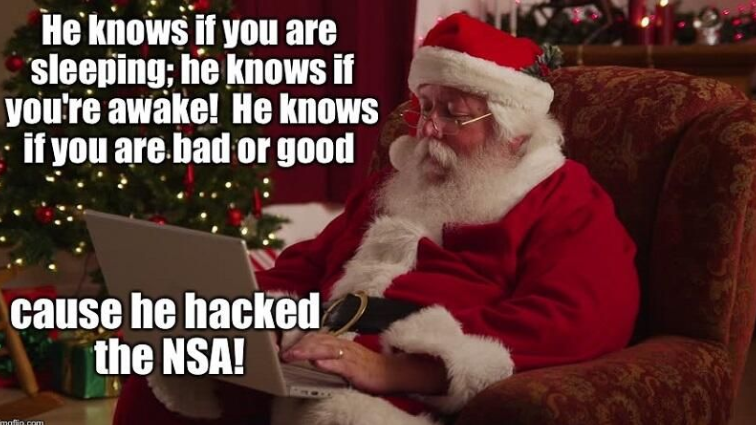 Xmas cyber meme. Courtesy photo