
 By REBECCA RUTHERFORD
Los Alamos
For the Los Alamos Daily Post
Brace yourself: according to cybersecurity researcher Troy Hunt, more than 183 million unique email credentials have been exposed in a massive data dump, including tens of millions tied to Gmail accounts. Yikes!
What Happened?
The cache in question spans 3.5 terabytes of data, consisting of “stealer logs” and credential- stuffing lists harvested from infostealer malware.
What does this mean? In plain terms: malicious software quietly collected login addresses + passwords + site info from infected devices — then the records surfaced in underground channels.
The event seems unrelated to any specific breach, but rather aggregated and uploaded data from millions of stealer malware logs. The importance of avoiding shared credentials across services cannot be overemphasized here; it is this ability to travel laterally across accounts that will really screw users over. You need to have excellent visibility on both your personal email security, as well as your business email security. Security blogger Graham Cluley told the Daily Mail that people should “always use different passwords for different online accounts” and store them in encrypted password managers rather than browsers, which malware can easily scrape. Excellent advice! And always use multi-factor authentication everywhere you can, whether it is via SMS, an app, or a physical passkey like a Yubikey.
Importantly: this was not because Gmail itself got hacked. As Google LLC clarified, the company’s systems remained intact; the breach happened on the device/user end.
Why It’s a Big Deal
- Of the 183 million records, around 16.4 million email addresses had never appeared in previous known breaches. That fresh exposure makes this especially dangerous.
- When credentials get leaked like this, attackers often use them for “credential stuffing” — i.e., trying the same email/password combos across multiple sites/services.
- Because people often reuse passwords, a breach of your email credentials can cascade: inboxes, cloud storage, social accounts — if you are reusing passwords, anywhere you reuse the password is vulnerable. It is easy to automate email/password combo testing and use this to break into accounts.
 Internet security meme. Courtesy image
What You Should Do Now?
- Go to Have I Been Pwned (HaveIBeenPwned.com) and check whether your email address appears in the list of compromised accounts.
- Change your password — if your address is flagged, or even just as a precaution. Use a strong, unique password that you don’t use elsewhere.
- Enable two-factor authentication (2FA) — a huge extra layer of protection. Google recommends this too (and if possible, switch to passkeys like Yubikey).
- Review your devices: scan for malware, remove any suspicious browser extensions or software, ensure your system and antivirus are up to date. Remember, the breach began via infected devices.
- If you reuse your email & password combo for other sites (shopping, streaming, banking) — change those too. One breach can spread far beyond the original login if you are reusing passwords and email combos.
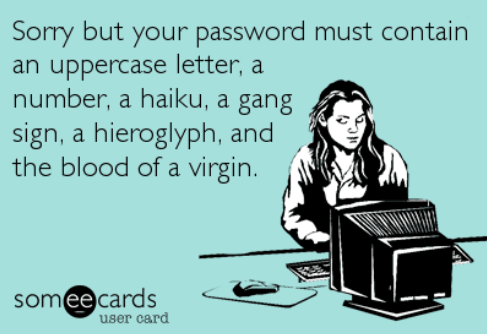
Internet security meme. Courtesy image
Key Takeaway
This incident isn’t about a specific service being hacked — it’s about the weakest link: device security + password hygiene. if you’re using the same password everywhere, you’re playing a very risky game, and eventually you are going to lose.
Fix your habits now: unique passwords + 2FA + clean devices = staying out of the danger zone when breaches happen. Stay safe online and check if you’ve been breached and practice proper password hygiene!
Editor’s note: Rebecca Rutherford works in information technology at Los Alamos National Laboratory.